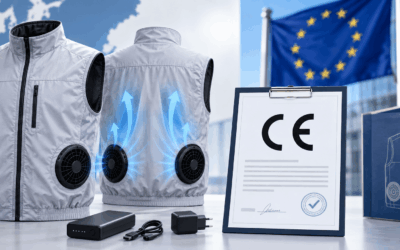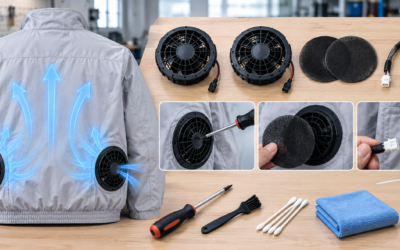
You’re mid-shift on a scorching job site, your cooling fan jacket battery is running low, and the only outlet nearby means plugging in while you’re still wearing it. It’s one of the most common questions we hear from fan jacket owners. The answer depends on your battery type, your charging setup, and a few safety basics most people never think to check. We’ll cover when it’s safe to use your cooling jacket battery while charging, what risks to watch for, and the habits that keep both you and your gear protected.
Can You Use a Cooling Fan Jacket While Charging?
Short answer: no, not with most models. Nearly every fan jacket battery manufacturer, states clearly that you should not charge the battery pack while the system is running, and you should never connect a power source directly to the USB port during active use.

Some jackets include a separate pocket where you can charge your phone while wearing the jacket. That’s a convenience feature for your mobile device—it has nothing to do with charging the jacket’s own battery. Don’t confuse the two.
The default safe rule:
-
Wear the jacket and run it on battery power throughout your shift.
-
Remove the battery pack or power bank once it’s drained.
-
Charge it separately, away from the jacket, in a dry, ventilated spot.
-
Only deviate from this if your specific product manual explicitly says simultaneous charge-and-wear is supported.
One independent reviewer confirmed this pattern directly: their fan jacket wouldn’t let them charge the power bank while it was plugged into the fans. That’s not a defect—it’s how these systems are engineered to work.
Why Using Cooling Fan Jacket While Charging Is Risky
Heat is the enemy of lithium batteries, and charging while wearing your fan jacket creates the wrong combination of conditions. Here’s the science behind why manufacturers lock this down.
The Heat Problem Compounds Fast
Charging generates heat on its own. Wrap that charging battery inside a fabric jacket designed to trap airflow around your fan cooling clothing, and you’ve limited its ability to dissipate that heat. The battery ends up running hotter than it would sitting on a table.
Temperature matters more than most people realize. Research shows that raising battery temperature from 25°C to 55°C increases capacity fade from 4.22% to 13.24% after 260 charge cycles. That’s more than triple the degradation from heat alone. Lithium batteries perform best in the 25–35°C range. Push past 35°C, and aging accelerates noticeably.
Fire and Smoke Risk Are Real, Not Theoretical
Under sustained high heat, lithium batteries can enter thermal runaway—a chain reaction that generates gas, heat, and in worst cases, fire or explosion. This is a well-documented failure mode when batteries operate outside safe temperature ranges, not a rare edge case. Wearing a rechargeable cooling vest while it charges increases the odds you’re pushing the battery toward that threshold.
Loose Connections Create Short-Circuit Risk
Fabric pressing against a fan jacket charging port, cables getting tugged or bent while you move, USB-C connectors shifting under body weight—all of this increases contact resistance at the connector. That translates to intermittent power flow, localized hot spots, and in some cases, sparking. Short circuits triggered by unstable connections are a recognized failure pathway in lithium battery safety research, and that’s the scenario you create when you move around with a charging cable plugged into your jacket.
Battery Life Takes a Real Hit
Even without a fire or short, you’re shortening your battery’s usable life. Battery cycle life can drop by roughly two months for every 10°C increase in the 30–40°C range. At around 45°C, degradation can run more than double what you’d see at 25°C. Combine that with fast charging, and the damage compounds further—heat and high charge rates have a documented negative interaction that accelerates capacity loss.
Charging while wearing your jacket eats away at your cooling jacket battery life every time you do it.
Safety Guidelines for Charging Your Fan Jacket Battery

If you follow the right charging habits, you won’t have to guess. A few simple rules, applied every time, keep your battery safe and your cooling vest USB charging setup working the way it should.
Always Detach Before You Charge
Pull the battery pack off the jacket first, every time. Charge the battery on its own, never through the jacket’s wiring or fan jacket charging port. That’s the standard across the fan cooling clothing industry.
Stick With the Charger That Came With It
Use the original charger, or one the manufacturer approves. A mismatched charger—wrong voltage, wrong current output—can push your battery into a fire risk zone. Skip the generic USB brick you found in a drawer.
Check the Temperature First
Don’t plug in a hot battery. Let it cool to room temperature before charging. Makita specifies a safe charging window of 10°C–40°C (50°F–104°F); other cooling jacket battery makers list a similar 4°C–40°C range. Charging outside that window—right after sun exposure, or after the battery’s been sitting in a hot car—can damage the cells and raise fire risk.
Inspect Before and After
Look over the battery housing, cables, and connectors for cracks, warping, or looseness before you charge, and again once it’s done. A wearable fan battery pack with visible damage shouldn’t go anywhere near a power source until it’s checked out.
Stop Immediately If You Notice:
-
Unusual heat or a battery that’s hot to the touch
-
A burning or plasticky smell
-
Smoke or sparks
-
Swelling, bulging, or a warped casing
-
Charging indicator lights blinking in an unusual pattern or not lighting at all
Any one of these means stop, unplug, and don’t use that battery again until it’s inspected.
Don’t Let It Overcharge
Unplug once it hits full charge. Leaving a rechargeable cooling vest battery connected long after it’s topped off wears down capacity faster and adds unnecessary risk—there’s no upside to leaving it plugged in overnight just in case.
Step-by-Step: How to Charge and Use Your Cooling Vest

Four steps stand between a full charge and a fan jacket that runs all shift. Follow them in order, every time, and you’ll skip the guesswork.
Step 1: Detach and Charge the Battery on Its Own
Find the battery pack. On most vests, it sits in a rear zippered pocket with a connector that plugs into a USB-A battery port. Unclip it from the garment before doing anything else. If the battery feels warm from a previous session, let it cool first. One battery cartridge manual says to charge only at room temperature, between 10°C–40°C (50°F–104°F). A hot battery straight off the jacket needs a few minutes to come down before it touches a charger.
Step 2: Charge Until the Indicator Says Full
Charging time depends on the battery type. Auto-recharge elements typically need 2–3 hours at 22°C (72°F), or as little as 30 minutes at 8°C (46°F). For standard battery-powered vests, plan on 2–3 hours for smaller packs and 4+ hours for larger-capacity systems. Watch the indicator light. Solid green, or your model’s equivalent full-charge signal, means stop. Never plug in a battery that’s already full. One manufacturer’s manual states this outright as a hard rule.
Step 3: Reconnect the Battery
Once charging’s done, plug the battery lead back into the vest’s connector, usually tucked inside that same back pocket or harness area. Push the plug in fully. Don’t force it, but make sure it’s seated. A loose connector is a common, avoidable problem. Airflow cuts out or fluctuates even when the battery itself is fully charged.
Step 4: Power On and Use It
Start on the lowest fan setting, then bump it up if you need more airflow. Runtime varies by model: 4–8 hours is typical for fan-based vests, 5–8 hours for mid-size packs, and 12+ hours on larger battery systems. Industrial cooling vests often run 4–6 hours per battery, stretching to 8–12 hours with a hot-swap that takes under a minute. In dry conditions below roughly 95°F, expect 6–8 hours on a charge. For shifts longer than your vest’s rated runtime, charge fully beforehand and carry a spare. Real-world runtime drops in extreme heat or on higher fan settings.
What If Your Cooling Fan Jacket Model Differs?
Not every fan jacket is the same. Brands and models differ in fan count, battery specs, charging ports, and control layouts. That variation directly affects whether pass-through charging is even possible.
Take IcebearTech as an example. Some of their models are explicitly built as fully USB-C compatible, with runtime rated at roughly 8 hours on low speed and 4 hours on high. That’s a meaningfully different setup from a jacket that uses a proprietary battery pack with a locked charging system. USB-C compatibility tends to mean more flexible charging behavior in the industry, but “tends to” isn’t “always.”
Confirm pass-through charging is supported on your specific model before you plug in mid-shift. Even among USB-C models, not all support charging while worn, check your spec sheet.
Build Your Own Comparison Checklist
When you’re evaluating a fan cooling clothing option, or double-checking the one you own, run through this list:
-
Model name
-
Pass-through charging support (yes/no/unclear)
-
Charging port type (USB-C vs. proprietary)
-
Battery capacity (mAh)
-
Runtime at low/medium/high fan speed
-
Full charge time
-
Fan count and placement
-
Whether fans and battery detach for washing
-
Size range
-
Intended use (job site, outdoor labor, commute)
Confirm It Directly With the Manufacturer
Don’t guess. If IcebearTech’s product page doesn’t spell out pass-through charging for your specific model, contact them directly:
-
Product specs: icebeartech.com. Check the listing for USB-C compatibility and runtime figures before you buy.
-
General inquiries: [email protected]
-
Parts and compatibility questions: [email protected]
-
Phone: +86-19970078188
A five-minute email saves you from finding out the hard way whether your battery pack can handle it.
Cooling Fan Jacket Battery Care Tips for Longer Lifespan
Good battery habits pay off in months, not days. A cooling fan jacket battery treated well can outlast one that’s charged carelessly by a wide margin, and the fixes take almost no extra effort.
Charge Before It Hits Zero
Letting your battery drain over and over wears it down faster than you’d expect. Keep charging temperature between 10°C and 40°C. If the battery’s warm from use, let it cool first.
Store It Partially Charged
Don’t tuck your battery away at 100% or 0% for the off-season. Industry practice for fan jacket batteries is storage at 40%–60% charge. Some manufacturer guides set the floor a bit lower, at 25%, but they pair that with a rule: top it up at least once every three months. Skip that step and you risk deep discharge damage that’s hard to reverse.
Keep It Out of the Heat
A hot car, a sun-baked garage, an attic in July—none of these are safe homes for your battery.
Detach Before You Store or Wash
Power off first. Pull the battery, controller, and fan modules off the jacket before it goes in a drawer or the wash. Cleaning the fabric with the electronics still attached risks both. Wipe fan intakes with a dry, soft cloth on a regular basis; lint and dust buildup restricts airflow and stresses the motor.
Inspect Connectors Often
Check the charging port, cables, and fan mounting rings for cracks, looseness, or grime. Any swelling, leakage, or connector damage means it’s time to replace the battery, not push through another cycle.
Know the Numbers
Runtime on most fan jackets falls between 3–8 hours at moderate speed, stretching to 6–12 hours depending on fan speed and battery capacity. Some batteries, like G-Heat’s, are rated for up to 500 charge cycles—a useful benchmark when comparing products. Heavy daily users should consider a spare battery too—rotating packs cuts down on cycle stress for each individual unit.
Conclusion
Charging your cooling fan jacket while wearing it isn’t worth the risk. Most manufacturers—including icebeartech—explicitly recommend against it, and for good reason. Moisture, movement, and an active charging port together can shorten your cooling jacket battery life and create a safety hazard.
Charge your wearable fan battery pack fully before you head out, then let it run untethered through your workday or workout. If you need more runtime, swap in a spare battery—a small investment that pays off in peace of mind.
Check your specific model’s manual for exact charging specs, and stick to the charger that came in the box. Your jacket will last longer, and you’ll stay cool without any unnecessary risk.